Kitchen Display System Selection for Independent Restaurants
Independents need to match their kitchen layout and POS first.
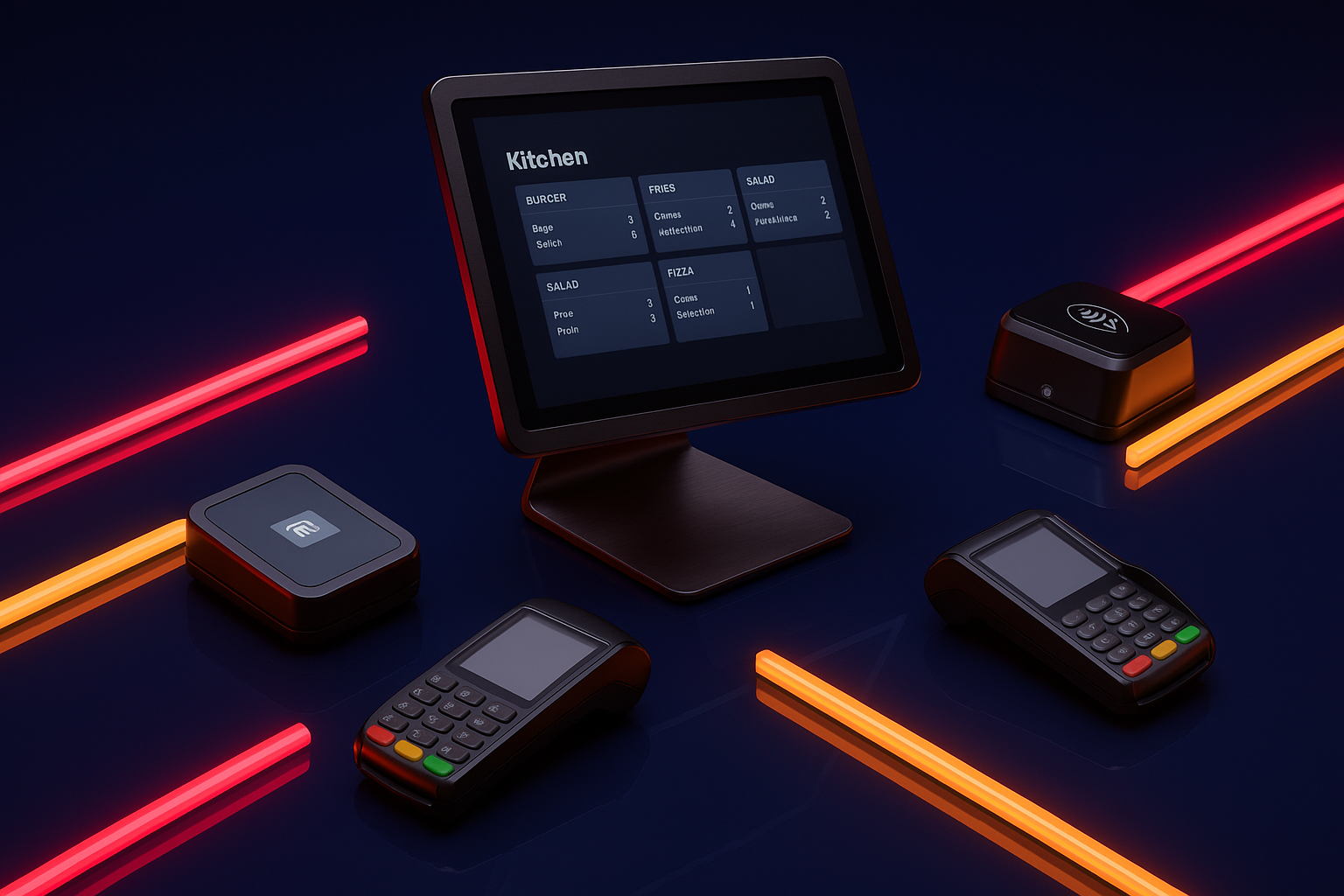
Kitchen display systems used to be an enterprise toy: expensive, proprietary, built for chains with a facilities team on payroll. Cloud pricing has since pulled the technology down into reach of a single-location independent, and two pressures are pushing operators to actually consider it: margins sit around 3 to 5% net, and labor eats roughly a third of operating budgets while staying hard to keep staffed. The global KDS market was valued around $520 million in 2024, and most of that growth is independents deciding a paper ticket rail no longer cuts it.
Worth separating out early: a kitchen printer spits out a static paper ticket. It doesn't know if the ticket got made, doesn't flag a rush order, and generates zero data. A KDS is interactive: tickets update live, get bumped or marked complete, and the system accumulates performance data an operator can actually look at later. The decision facing an independent restaurant in 2026 isn't whether to get one. It's which one fits the kitchen already in front of them, and the honest answer is that most operators shop backwards, picking features before they've even confirmed the thing talks to their POS.
What a KDS actually changes inside the kitchen
Start with the number that gets cited most: KDS adoption cuts order errors by as much as 90% in vendor-reported data. That figure deserves an asterisk, since it comes from the companies selling the systems, and results shift with menu complexity, kitchen layout, and how well staff got trained on day one. Take the vendor math with a grain of salt and the direction still holds up in independent reporting: wait times drop, kitchen efficiency climbs once a kitchen fully switches over, and even a single expo-station screen, without touching the rest of the line, has been tied to error reductions of 80% or more on its own.
Accuracy matters disproportionately for small operators because a restaurant running a 3 to 5% margin doesn't have the staffing buffer a large chain has to absorb mistakes. One remade dish at a 200-seat chain location is a rounding error. One remade dish at a 40-seat independent is a dent in the week, and nobody's covering that dent but the owner.
O'Maddy's is a useful real-world data point here: using Lavu's KDS analytics, the restaurant cut order prep times by 15%, a modest, believable outcome that lines up with what vendors and operators generally report. That's a modest, believable outcome, and it lines up with the payback window vendors and operators describe, usually three to six months, mostly through fewer mistakes, faster ticket times, and less wasted food.
Here's the part vendors don't put in the pitch deck: a KDS only automates the workflow that's already there. If the station routing is a mess or the staff never got properly trained on the bump bar, the system will faithfully digitize that mess at high speed. Garbage in, garbage out, just on a nicer screen.
How to think about station configuration before shopping for hardware
Before opening a single vendor's website, answer a more basic question: how does work actually move through the kitchen right now? A single-station counter-service café has a completely different need than a multi-station kitchen running grill, sauté, and expo as separate zones with separate screens. Get this wrong and the new hardware becomes an expensive fixture bolted to a wall with little practical use.
Related, and often skipped over: does every station need to see the full ticket, every modifier and allergen note, or only the line items relevant to that station? A grill cook probably doesn't need the dressing substitution on a salad that's not touching their station. Clutter on a screen is just as costly as clutter on a paper ticket, maybe more, because now it updates in real time and can be misread just as fast as it's misprinted.
Screen size follows from layout and order volume, not personal preference. High-volume kitchens generally run 21.5-inch or larger displays so multiple tickets sit in a readable grid without staff squinting across a hot line. Compact 10-inch screens suit a single prep station in a small café just fine, and higher-volume operations often step up to larger industrial-grade units beyond that. There's a hardware philosophy split worth knowing too: Android-based and Windows-based systems each have different cost profiles and compatibility considerations depending on the existing tech stack. Confirm which operating environment the chosen POS and software support before committing to a hardware platform.
A short checklist earns its keep here. How many stations actually need their own screen? What's the ambient light and viewing distance situation, since a screen readable in a test kitchen can wash out completely under harsh line lighting? Does the system need to juggle delivery, dine-in, and takeout at once without the tickets turning into visual clutter? And is grease, heat, or moisture going to wear down a particular station, because a basic tablet mounted inches from a flat-top griddle has a short life expectancy and everyone in the kitchen already knows it.
POS compatibility is the decision that constrains everything else
This is the single most important filter in the whole buying process, and it should get settled before anything else even enters the conversation. Whatever POS a restaurant runs on today effectively decides which KDS options are viable at all.
The distinction that matters is native integration versus a third-party bridge. Native integration means orders sync automatically with no middleware in between. A bridged integration adds a translation layer, and translation layers add sync delays and a new point of failure, right in the middle of a Friday dinner rush. Before buying anything, confirm in writing that the KDS has a native integration with the specific POS in use, not a bridged one that happens to technically work.
There's a second, quieter problem: vendor lock-in. Proprietary KDS hardware sold by companies like Toast or Clover generally doesn't resell once an operator switches POS systems. That capital is just gone, sunk into hardware that only works with one system. For an independent who isn't fully certain they'll stay on the same POS for the next five years, that's a real risk to price in.
For operators who want to hedge against that, POS-agnostic options exist. Some POS-agnostic options, for instance, are built to work across multiple POS environments rather than being tied to one. That flexibility matters most for operators running an unusual tech stack or genuinely unsure where their POS relationship stands long-term. The order of operations that actually works: map the POS first, then build the KDS shortlist from what integrates natively with it. Doing it backwards, choosing a KDS on features alone and hoping the POS cooperates, is how operators end up stuck with a bridge they didn't know they signed up for.
What KDS systems actually cost in 2026, broken down honestly
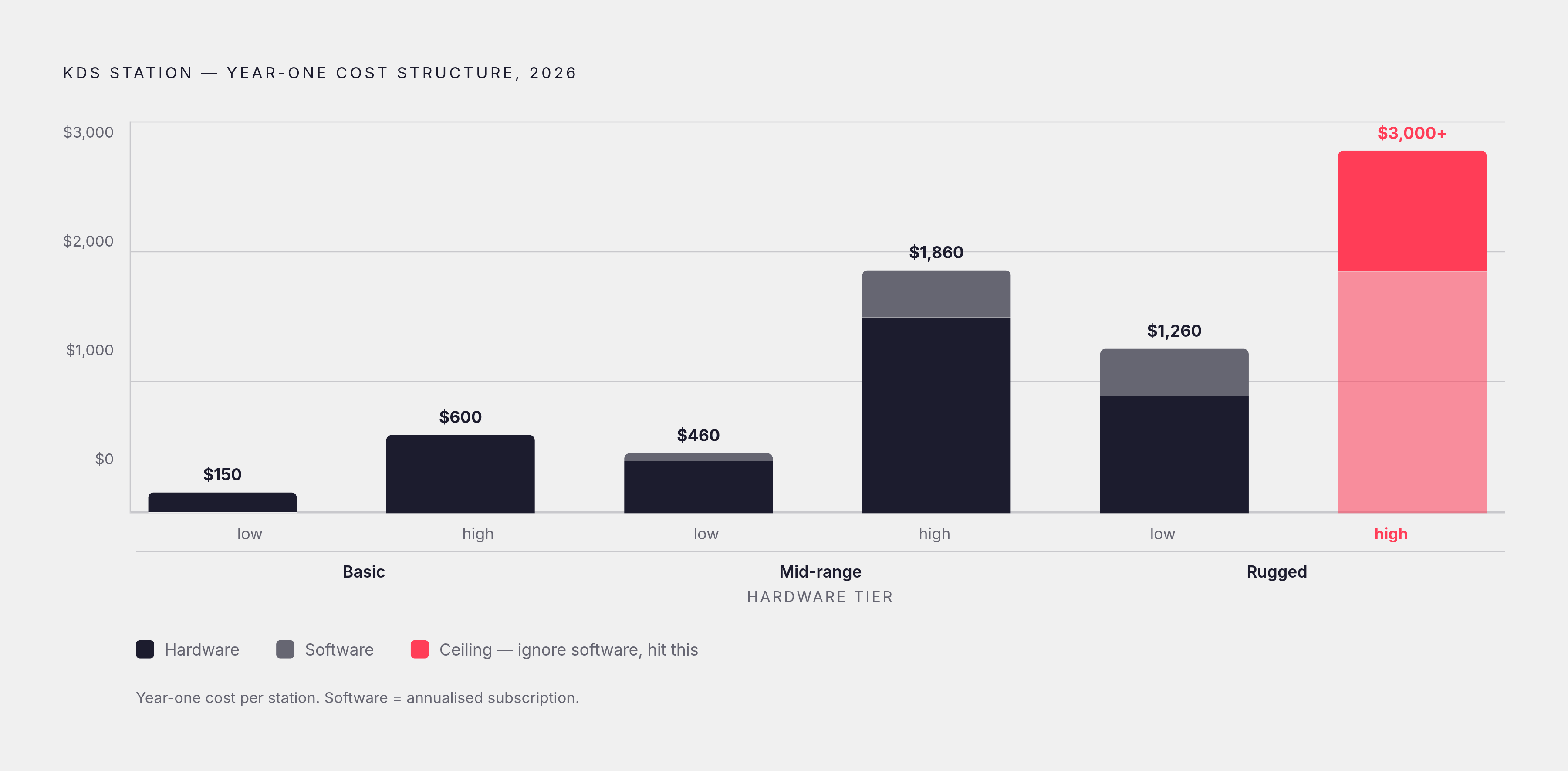
Total year-one cost for a single station, all in, runs somewhere between $300 and $3,000. That's a wide range, and the width is the point: hardware grade, software pricing model, and whether the KDS comes bundled with a POS all swing the number hard in either direction.
Software pricing generally falls into three buckets. Some systems run free when bundled into a modern POS package. Others charge $5 to $30 per month per terminal as a POS add-on. Standalone systems not tied to a POS bundle typically run $30 to $200 or more per month per station. Hardware sits in its own set of tiers: basic tablet-based setups run $150 to $600 per station, commercial-grade touchscreens run $400 to $1,500, and rugged hardware built to survive heat and grease abuse runs $900 to $2,000 or more per unit.
Here's where operators get caught out, and it happens constantly: budgeting for hardware alone and forgetting the software side entirely. That habit routinely produces a surprise bill in year one that nobody modeled going in. Mounting hardware, higher support tiers, and per-screen software fees stack up fast and quietly.
Some concrete reference points help ground this. Square KDS runs $30 per device per month on its Plus tier, or $20 per device per month on Premium. Toast's entry pricing comes with a higher processing rate of 3.09% plus 15 cents per transaction, and its standard Point of Sale plan starts at $69 per month. The honest way to compare any two systems is total cost of ownership over two years, processing rates included, not excluded because they're inconvenient.
How the main vendors compare for an independent restaurant's specific needs
No single system wins outright here, and anyone claiming otherwise is selling something. The real question is narrower: which system fits this kitchen's POS, this kitchen's volume, and how much flexibility this operator wants to keep for later.
Toast KDS suits full-service restaurants and higher-volume quick-service operations that want restaurant-built hardware, an offline mode for when the internet inevitably drops mid-Saturday, delivery integrations, and back-office tools like payroll and loyalty under one system. Third-party data from 6sense puts Toast at roughly 23.33% market share among POS users, with more than 155,000 live restaurant locations running it as of 2025. The tradeoff is real: it costs more than several alternatives, takes longer to set up, and comes with a steeper learning curve. Since the hardware is proprietary, switching POS later means writing off that investment entirely.
Square KDS fits cafés, food trucks, bakeries, and newer counter-service concepts that want to be running same-week, without a long-term contract locking them in. It's easy to train staff on, and its pricing is more transparent up front than Toast's conditional $0 plan. What it's not built for is complex multi-station routing or a full dine-in service with courses fired in sequence, so a kitchen doing tasting menus should look elsewhere.
TouchBistro KDS aims at independents who want a middle ground between simple and controllable, and it's particularly good at managing courses and coordinating multi-item orders, which makes it a strong fit for fine dining and traditional dine-in service where front-of-house and back-of-house need to stay in lockstep. The cost catch is that add-ons stack fast: online ordering runs about $50 a month, loyalty around $99, reservations at roughly $229 on the standalone tier, with KDS as its own separate line. A typical full-service single location lands around $250 to $450 a month before processing fees even enter the picture.
Fresh KDS takes a different approach, staying POS-agnostic so it sits on top of multiple POS environments rather than being tied to one. That's the right fit for an operator who wants hardware flexibility, isn't locked into a long-term POS decision, or is running a tech stack that doesn't fit the usual mold. The tradeoff is fewer of the deep, native-feeling integrations that come standard with a POS-bundled system.
The heuristic holds regardless of brand: filter by POS compatibility and service model first, then by how much multi-year hardware flexibility matters, and only then start comparing individual features. Skip that order and the feature list becomes a distraction from the one question that actually decides the outcome.
Staff adoption is where KDS implementations succeed or fail
None of the above matters if the kitchen staff won't use the thing. This is the most common point of failure in a KDS rollout, and it has nothing to do with the technology's actual capability.
The staff most likely to resist are often the most experienced ones, the cooks who've run a paper rail on muscle memory for years and don't see what's broken. That skepticism isn't stubbornness for its own sake; it's a reasonable response from someone who's watched a manager introduce a new system before and quietly walk it back three months later.
The framing of the rollout matters more than the rollout itself. Pitch the KDS as removing friction the staff already hates: misfired orders, unreadable modifiers, tickets that vanish under the pass. Pitch it as a surveillance tool measuring how fast everyone moves, and watch the resistance harden overnight. A parallel period, running paper tickets and the KDS side by side before cutting paper entirely, gives staff room to build trust in the system without betting a live service on it working perfectly from day one.
Independents face a specific wrinkle here that chains don't: there's no IT department down the hall. The rollout usually lands on the owner or a lead cook, who's also expected to run service that same night. Vendor onboarding quality varies a lot across companies, so it's worth asking directly, before signing anything, whether live support is available during that first week of real service, not just a help-desk ticket answered sometime Tuesday.
Once staff actually trust the system enough to use it properly, something useful happens on its own: the KDS starts generating real performance data, ticket times, throughput by station, accuracy trends, that the operator can act on instead of just glancing at.
Using KDS data to surface what's actually slowing down service
The dashboard itself isn't the value. What an operator does with the numbers on it is, and most operators skip this step entirely because they installed the system to fix errors and never opened the analytics tab again.
Three metrics are worth tracking closely. Average ticket time by station reveals bottlenecks that are often invisible during the actual chaos of service, when everyone's moving and nobody has time to notice the pattern. Order accuracy rate over time answers the question that actually matters after installation: is the KDS reducing mistakes, or are the same errors just showing up on a screen instead of a printer. Peak-hour throughput compared against off-peak periods informs scheduling and prep decisions in a way that gut instinct usually gets wrong.
What the data tends to reveal surprises most operators. A slow ticket time at the grill station is frequently a prep workflow issue upstream, something backed up at the walk-in or the cutting board before the ticket even reaches the line, rather than a grill problem at all. Blaming the cook staring at the screen misses the real link in the chain, and the screen is just where the delay finally becomes visible.
Tie this back to the margin conversation from the top of the piece. For a restaurant running 3 to 5% net margin, a small reduction in food cost from better accuracy is not a rounding error; it can represent a meaningful share of annual profit. The analytics layer is what turns that improvement into something repeatable and measurable, rather than a lucky quarter nobody can explain or replicate.
One boundary worth being honest about: KDS data tells an operator what's happening inside the kitchen during service. It doesn't say who's walking through the front door or why. Connecting kitchen performance to customer acquisition and marketing needs a separate layer of attribution entirely, and platforms like Feastalytics, a restaurant analytics tool that unifies POS and delivery data to tie marketing campaigns directly to in-store revenue, are built to cover that side of the gap. The kitchen display system covers one half of the operational picture, a useful half, but it was never built to answer the other one.